Screenshotter
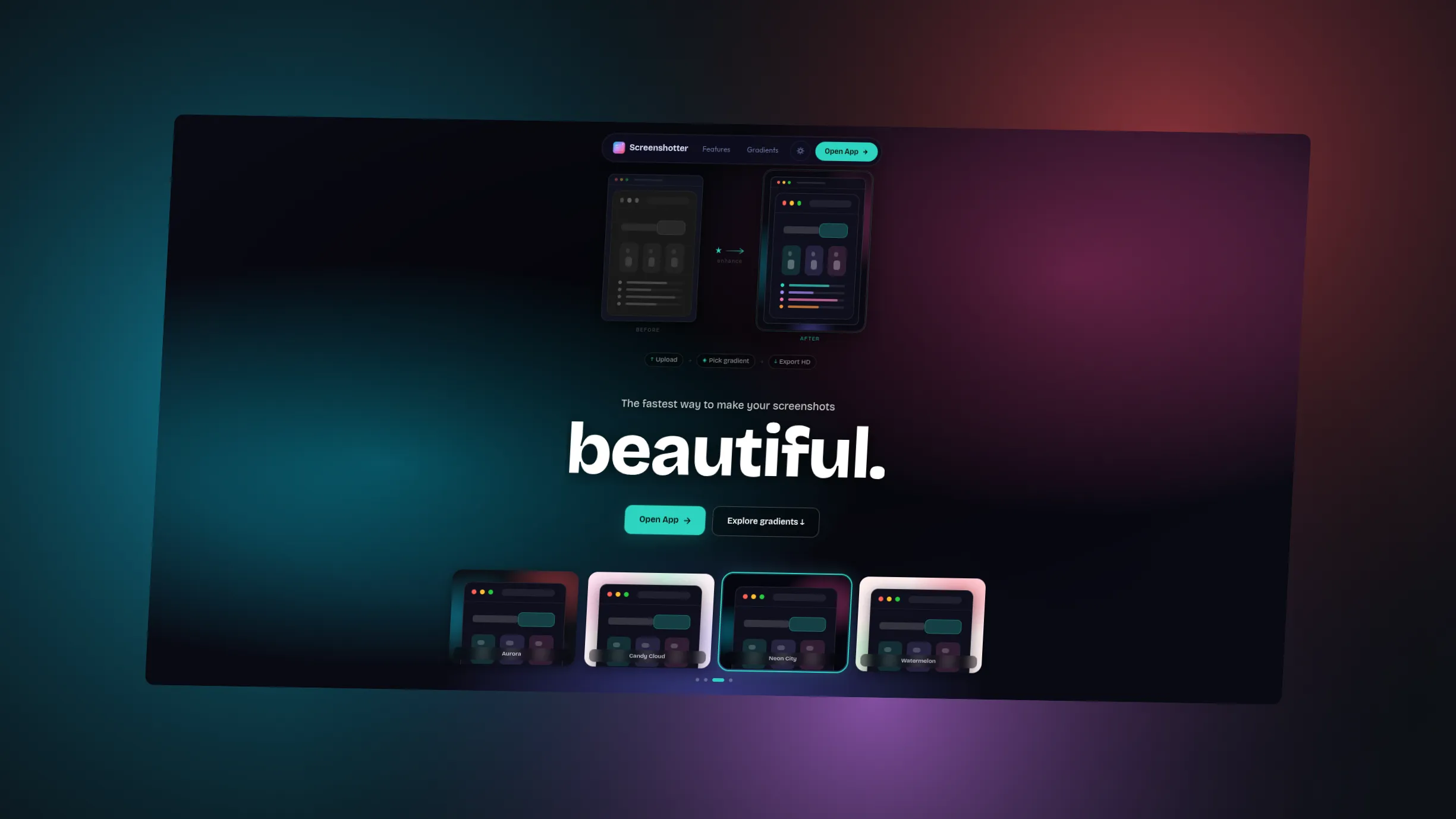
Makes screenshots and code snippets look good: add gradient backgrounds, transform and annotate them, then export at full resolution.
- Status
- Live
- Role
- Full Stack Developer
- Team
- Solo
- Timeline
- 2 days
The problem
Plain screenshots and code snippets look unpolished when you share them.
Who it is for
Anyone who shares screenshots or code snippets. No account is required.
What I built
A browser tool that wraps an uploaded image or a code snippet in one of 10 gradient presets, with padding, transform controls, text overlays, and full-resolution PNG export. Built with Next.js, Prism.js for highlighting in 20 languages, and html-to-image.
Built with
- Frontend
- TypeScript
- Next.js 16 (App Router)
- React 19
- Tailwind CSS v4
- Animation
- Motion
- Highlight & Export
- Prism.js
- html-to-image
- Theming
- next-themes
In detail
- Gradient presets
- 10
- Highlight languages
- 20
- Build timeline
- 2 days
- Account required
- None
How it works
Drop in content
Upload or paste an image, or switch to the code editor with syntax highlighting.
Style the canvas
Pick one of 10 gradient presets, then tune padding, border radius, and transforms (skew, rotate, offset) with sliders and preset shortcuts.
Annotate
Add text overlays: drag to reposition, double-click to edit inline, with per-element font, color, and size.
Export
Download a full-resolution PNG that renders exactly what you see on screen.
Key features
Two input modes
Image upload/paste or a code editor with syntax highlighting, one canvas pipeline for both.
10 gradient presets
Aurora, Sunset, Midnight, Forest, Ocean, Candy, Dusk, Ice, and more, across radial mesh, layered orb, and conic blend styles.
20-language syntax highlighting
JS, TS, JSX, TSX, Python, Rust, Go, HTML, CSS, JSON, Bash, SQL, Java, Swift, Kotlin, C, C++, Ruby, PHP, and YAML via Prism.js with dynamic language loading.
Transform controls
Skew X/Y, rotate, and offset X/Y with preset shortcuts, plus padding and border radius sliders.
Text overlays
Drag to reposition, double-click to edit inline. Font, color, and size are set per element.
Saved presets
Named presets persisted to localStorage: rename, delete, and one-click apply.
Full-res PNG export
The export matches what you see at display size, using html-to-image.
Dark and light mode
CSS-variable theming through next-themes, applied to both the app and the highlighted code.
Note
Export fidelity
The PNG has to match the preview pixel for pixel, or users stop trusting
the tool. The export is rendered from the same DOM node the user is looking
at, using html-to-image, so the on-screen render and the full-resolution
output come from the same source.
Challenges
- Accurate full-resolution PNG export matching on-screen render
- Syntax highlighting with dark/light theme toggle in canvas
- Drag-and-reposition text overlays with inline editing
What I learned
- html-to-image canvas rendering pipeline
- Prism.js integration with dynamic language loading
- CSS variable-based dark/light theming system
Have a role in mind?
Send me a message on X with the role and a link to the posting. My resume has the rest.