The geography of speed: a developer's guide to CDNs
How CDNs work: edge caching, cutting latency, and three ways to add global asset delivery to a web app.
- cdn
- architecture
- web-performance
- system-design
- backend
Introduction
You've built a perfect Next.js app, but after deploying to us-east-1, your London users are staring at a blank screen. The problem isn't your code. It's the speed of light. Data crossing the Atlantic still has to battle physical distance and network congestion between distant AWS regions.
We've become so used to the "git push" magic of Vercel and Netlify that we rarely wonder how they actually deliver code globally in milliseconds. I decided to look under the hood at the machinery making this possible.
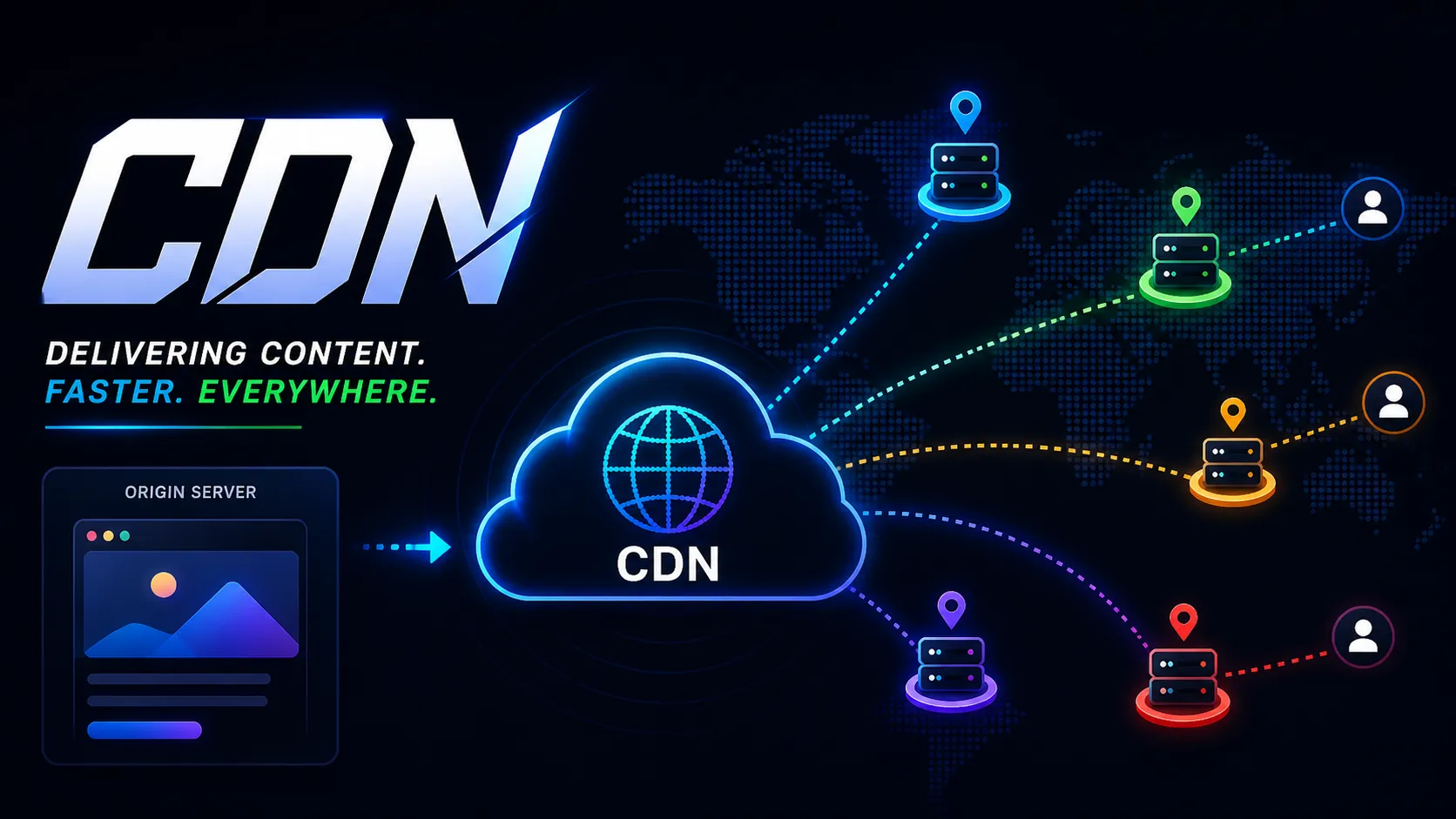
TL;DR: a Content Delivery Network (CDN) is a globally distributed network of servers that caches assets and delivers them from the location physically closest to the end user.
The architecture: how it works
A CDN splits your infrastructure into two parts: the origin and the edge.
The origin server is your source of truth. It's where your main Node.js/Express application lives, where your database resides, and where dynamic, user-specific mutations occur. It does the heavy lifting.
Edge servers, also known as Points of Presence (PoPs), are lightweight proxy servers scattered across global data centers (London, Tokyo, Mumbai, Frankfurt). Their only job is to sit between the user and the origin, caching data to intercept requests before they have to travel across the globe.
The cache journey
When a user in London visits your site, they don't explicitly ask to connect to the London edge server. Anycast DNS handles that: it's a routing technique that automatically directs the user's IP request to the geographically closest available node.
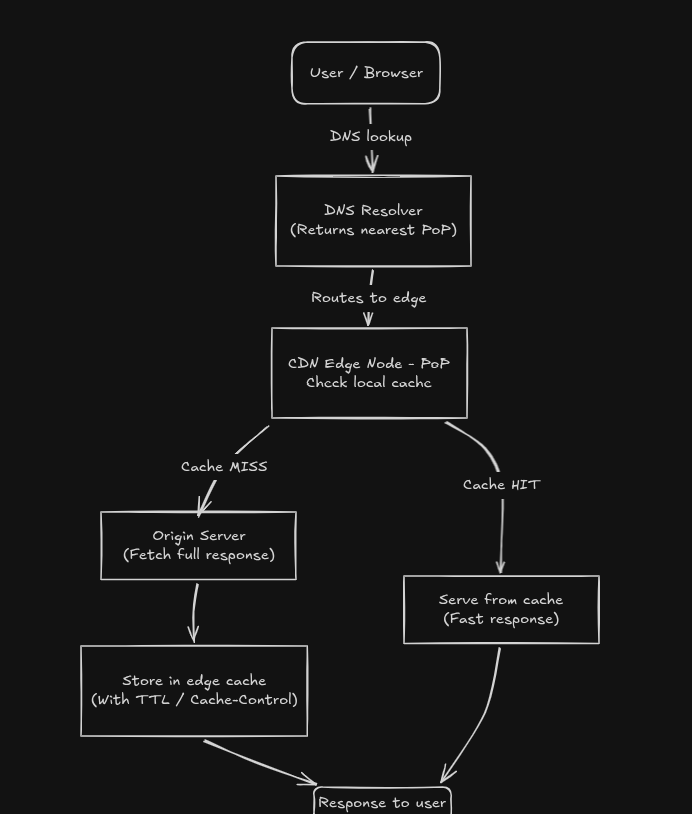
Here is the lifecycle of a request:
-
The request: the user's browser requests
hero-image.webp. -
The routing: DNS routing recognizes the user is in London and directs the request to the London edge server.
-
The cache miss: if this is the very first time anyone in London has asked for this image, the London edge server checks its local memory and finds nothing. This is a cache miss. The edge server then acts as a proxy, fetching the image from your origin server in San Francisco, storing a copy locally, and sending it to the user. This request is slow.
-
The cache hit: a millisecond later, a second user in London requests the exact same
hero-image.webp. The London edge server checks its memory, finds the file, and serves it immediately. This is a cache hit. The request never crosses the Atlantic, and the asset loads almost instantly.
Types of content a CDN handles
CDNs used to be just for static files, but the edge is getting smarter.
1. Static content
This is the traditional use case. CDNs are a good fit for assets that do not change based on who is asking for them:
- Compiled JavaScript bundles
- Global CSS stylesheets
- Fonts
- Images and videos
2. Dynamic content and edge computing (advanced)
Modern CDNs also offer distributed compute. Instead of only caching static files, these networks let you run lightweight JavaScript (like Next.js Edge Functions) directly on the edge nodes.
This means you can run logic, like checking authentication tokens, A/B testing variations, or applying internationalized routing, within milliseconds of the user, without ever hitting your primary database.
Implementation: the "how-to"
How you add a CDN depends on the architecture of your stack. There are three common ways to set up edge delivery.
The easy way (PaaS integration)
If you are using the Next.js App Router and deploying to a modern Platform as a Service (PaaS) like Vercel, you get a global CDN out of the box with zero configuration.
When you run next build, the framework automatically hashes your static assets and pushes them to the edge network. Any Edge Middleware you write is also distributed globally, so routing logic runs right next to the user.
The media way (specialized microservices)
Media at scale needs on-the-fly optimization on top of caching. Instead of making your main server do image processing, you can offload it to a specialized media CDN like Cloudinary.
If you replace a standard HTML <img> tag with a dynamically constructed Cloudinary URL, the media CDN handles format negotiation automatically. If a user on Chrome requests an image, the CDN converts it to a compressed AVIF or WebP format at the edge, caches that specific format, and serves it. The origin server only ever stores the original, high-res source file.
The custom way (reverse proxy)
If you are managing a custom backend, such as an Express API interacting with a PostgreSQL database, you add a CDN by placing a service like Cloudflare in front of your server as a reverse proxy.
You change your domain's nameservers to point to Cloudflare, and all traffic then hits Cloudflare's edge network first. By configuring caching rules (for example, telling the CDN to cache all /api/v1/public-stats endpoints for 60 seconds), you cut the compute load on your Express server and speed up response times globally.
Conclusion
A fast app depends on geography as well as clean code and a well-optimized database. The physical distance between your data and your users matters.
Whether your hosting platform handles delivery or you build it yourself, the rule is the same: move your data as close to the people using it as possible. Closing that physical gap means people stop waiting, and the app feels better to use.